

Skip to content
Certale
Use case · Employee awards

Employee recognition certificates, month after month

Run Employee of the Month, long-service milestones and sales awards from one HR export. Every certificate wears your company colours and carries a QR code to a verified story page your people can post on LinkedIn.

  • Unlimited single certificates on Free
  • Your colours, fonts and logo
  • No credit card to start
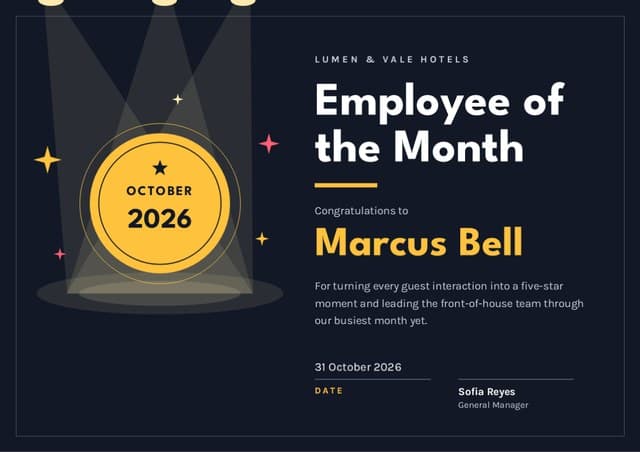
Marcus Bell’s Employee of the Month certificate from Lumen & Vale Hotels for October 2026, on the Spotlight design
Shared to LinkedInMarcus’s network sees your company
Verified issuerLumen & Vale HotelsScan to see why Marcus won
The monthly workflow

One HR export, every award this month

Recognition programmes stall when someone has to retype names every month. With Certale, the people team exports the winners, uploads one file, and the same branded design fills itself for each programme.

  1. Export the winners

    Pull the month’s names from your HR system, payroll or a nomination form. Any .xlsx or .csv works, with one row per person and headings on the first row.

  2. Match the columns

    Name, Award, Site and Email line up with the fields on the design. A Years column fills long-service numbers; a Result column fills sales figures.

  3. Approve the batch

    Every row is previewed on your branded design. Missing emails, duplicates and blank results are flagged before anything leaves the building.

  4. Schedule or send

    Pick a date and time, such as the first Monday at 9:00, or download a print-ready PDF for the team briefing. Each copy carries its own QR code.

Free: Bulk from Excel, 25 names a month · Pro: 300 names a month · Business: 1,000 names a month, plus email delivery in your organisation’s name. Compare plans

employee-of-the-month-oct-2026.xlsx6 rows · 4 columns matched · one winner per hotel5 ready1 to check
Sample Employee of the Month sheet: five rows
RowEmployeeAwardSiteStatus
1Marcus BellEmployee of the MonthHarbour StreetReady
2Priya NairEmployee of the MonthOld TownReady
3Tomás RuizEmployee of the MonthRiversideReady
4Chloe AdamsEmployee of the MonthStation QuarterNo email
5Kwame AsanteEmployee of the MonthLakesideReady
+ 1 more row, previewed on the Spotlight design
Row 1 · Spotlight designMonth and site come from the sheet
Congratulations toMarcus BellEmployee of the Month · October 2026
Programme

Lands before the morning briefing at all six hotels. Chloe’s goes to print only, until her email is added.

certale.com/t/LV7M3B10
Marcus Bell’s Employee of the Month certificate
Marcus Bell
Employee of the Month · October 2026
Verified · Lumen & Vale Hotels

“First award in eleven years of night shifts.”

96 applause from colleagues
Story pages & LinkedIn

Recognition that travels beyond the staff room

Each certificate’s QR code opens a story page that belongs to the employee: the award, your company as the verified issuer, a line in their own words and applause from colleagues. When Marcus posts it on LinkedIn, his network sees a real person recognised by a real employer.

Verified as yours
Anyone who scans sees Lumen & Vale Hotels as the issuer, so the award can’t be faked.
In Marcus’s own words
He added one line: “First award in eleven years of night shifts.”
Applause across shifts
Day staff, night staff and the other five hotels can cheer from their phones.
Posted in one tap
LinkedIn, WhatsApp or a copied link, each one pointing back to your company.
Who can see Marcus’s page?Marcus chooses, not HR. Try it.

Marcus can post the link on LinkedIn or drop it in the team chat. People without the link won’t come across it.

The company issues the certificate; the employee owns the page. HR can’t make it public on anyone’s behalf.

Anyone can scan and verify a certificate for free, on every plan, without signing up.

Wording

Employee award wording that people reshare

Seven examples, from a monthly award to a retirement send-off. The highlighted parts come from columns in your HR export, so the same wording works for every winner.

A person planting a flag at the top, as a top performer

What every employee award certificate needs

  • Your company name and logo, from the brand kit
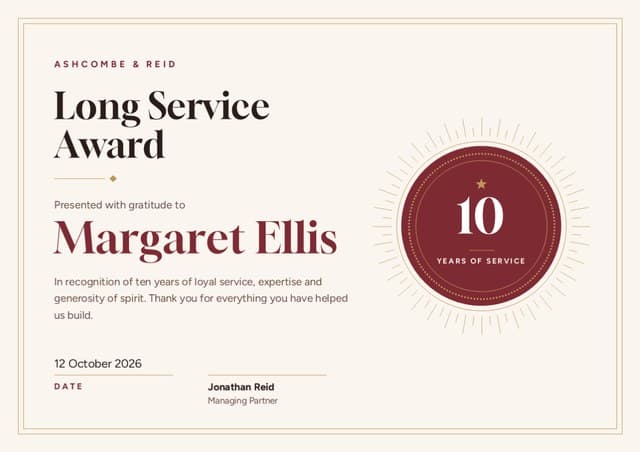
  • The award: Employee of the Month, 10 Years of Service…
  • The name the person goes by at work
  • The month, quarter or milestone it covers
  • One specific reason, in a single sentence
  • The date it was presented
  • A senior signature, with name and job title
  • The QR code, so anyone can confirm it’s genuine

Employee of the Month

Employee of the Month

Congratulations to Marcus Bell, our Employee of the Month for October 2026, for making every late arrival feel expected and keeping the front desk calm through our busiest month yet.

31 October 2026 · Sofia Reyes, General Manager

Name one moment, not a quality. “Calm through our busiest month” gets reshared; “for outstanding work” is forgotten by lunch.


Long service · 10 years

Ten Years of Service

Lumen & Vale Hotels thanks Rosa Delgado for 10 years in the Old Town kitchen: countless breakfasts, two refurbishments, and every new chef she trained along the way.

14 March 2026 · Sofia Reyes, General Manager

Map a Years column to the big number on the design, and one batch covers 5, 10, 15 and 25-year milestones together.

Sales achievement

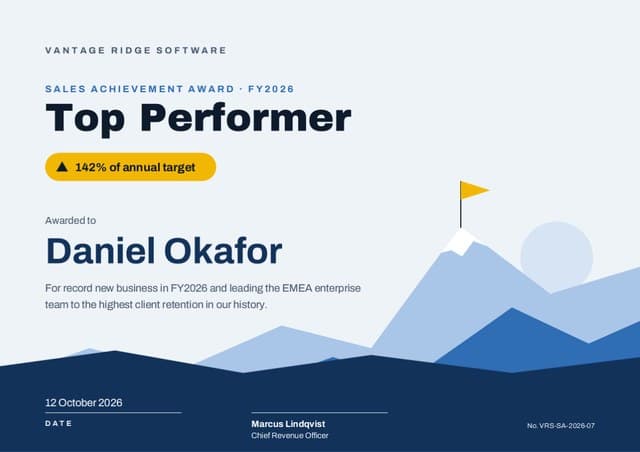
Top Performer · FY2026

Awarded to Daniel Okafor for reaching 142% of annual target and bringing in the three largest new accounts of the year.

12 October 2026 · Marcus Lindqvist, Chief Revenue Officer, Vantage Ridge Software

Keep the figure in its own Result column, so the same design works for every rep, every quarter.

Team award

Team of the Quarter

Presented to the Riverside Housekeeping Team for 4,200 rooms turned around this summer without a single late check-in.

30 September 2026 · Sofia Reyes, General Manager

Issue one certificate for the team noticeboard and one per member with the team’s name on it, so everyone gets a story page of their own.

Leadership

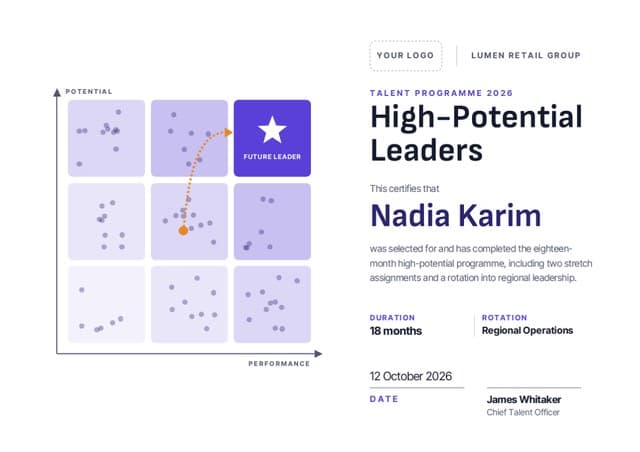
High-Potential Leaders

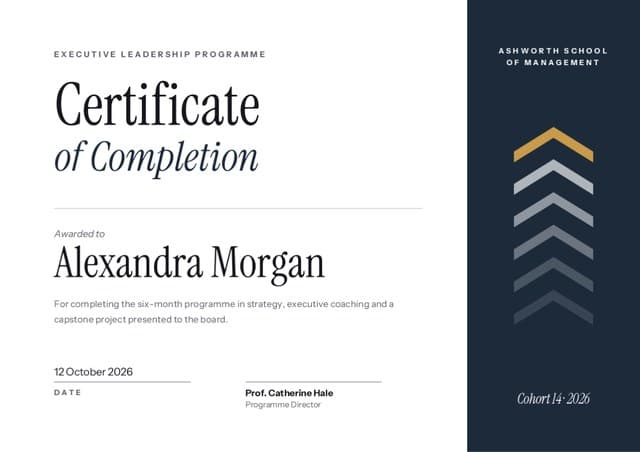
This certifies that Nadia Karim completed our 18-month leadership programme and stepped up to lead Regional Operations across nine stores.

12 October 2026 · James Whitaker, Chief Talent Officer, Lumen Retail Group

For programme awards, print the duration and the role it led to. Readers on LinkedIn want to know what it took.

Retirement thank-you

With Thanks, on Your Retirement

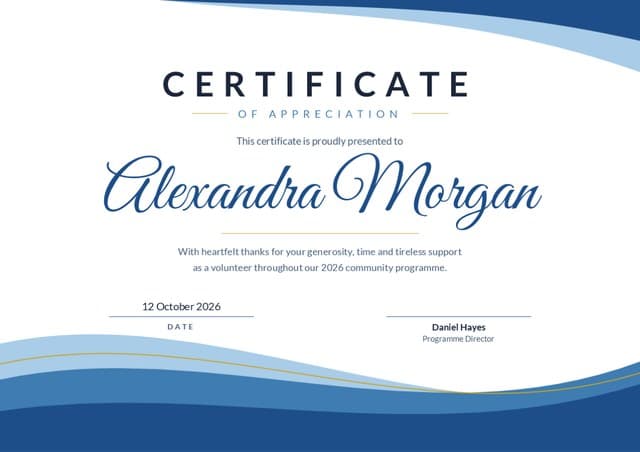
With thanks to Peter Lowe, who welcomed guests at our Harbour Street door for 27 years and taught every new porter to do it with a smile. Enjoy every minute.

18 December 2026 · Everyone at Lumen & Vale Hotels

Send the story link round the team a week before the leaving do, so colleagues’ applause is waiting when the certificate is handed over.

Arabic · right to left

موظف الشهر

تتشرّف فنادق لؤلؤة الخليج بتكريم مروان بلال بلقب موظف شهر أكتوبر ٢٠٢٦، تقديرًا لتفانيه في خدمة الضيوف، وروحه التي جعلت من كل إقامة ذكرى طيبة.

٣١ أكتوبر ٢٠٢٦ · سلمى الريس، المديرة العامة

Write the month the way your country does: أكتوبر in Egypt and the Gulf, تشرين الأول in the Levant and Iraq. Keep one version of the design for each market.

Print or digital

Framed in reception, posted on LinkedIn

Recognition lands twice: once when the certificate is handed over at the team briefing, and again when it is shared online. Every format comes out of the same batch, with the same QR code.

  • Print-ready PDFA4 or US Letter for a desk frame, A3 for the reception wall. One file for the whole batch, or one per hotel or team.
  • PowerPoint for the all-handsWidescreen 16:9 slides, one per winner, ready to drop into the monthly meeting deck.
  • PNG for the intranetA crisp image for the staff newsletter, the intranet or the team channel.
  • Email in your company’s nameOn Business, each person receives their certificate and story link from your organisation, on the date you scheduled.

PDF and PNG come with Free. Pro and Business add print-quality export in every size, and PowerPoint for the all-hands deck.

Marcus Bell’s Employee of the Month certificate shown as a framed A4 print
Where will it be seen?

Fits a standard certificate frame.

On award day

  • Hand it over in front of the team, then send the story link the same afternoon.
  • Frame the milestones; monthly awards can live on the noticeboard and online.
  • If it hangs behind glass, scan the QR code through the frame once before it goes up.
Recognition analytics

See which awards people share

A sample year at one hotel group: six hotels, four programmes. On Pro you get basic analytics (opens and shares); Business adds full analytics (opens, scans, shares) with export, for your people reports.

Sample data. Lumen & Vale Hotels is a demo company, not a customer.
Employee of the Month · Monthly · one per hotel
52% shared
Long service · Quarterly · 5, 10 and 25 years
63% shared
Sales awards · Quarterly · group sales team
53% shared
Team of the Quarter · Quarterly · one per member
19% shared
FAQ

Employee recognition certificate questions

How do I run Employee of the Month certificates every month without starting over?

Save the design once with your logo, colours and the manager’s signature. Each month, upload the new winners from your HR export, approve the rows Certale flags, and schedule the send. Only the names, sites and month change; the design and wording stay exactly as you left them.

What should an employee recognition certificate say?

The award, the name the person uses at work, the month or milestone, one specific reason, the date and a senior signature. A reason that names a real moment, such as a busy weekend or a difficult guest, is far more likely to be shared than a general line about hard work.

How do years of service certificates work for 5, 10 and 25 years?

Use one long-service design and add a Years column to the export. Certale fills each certificate with that person’s number, so one batch can mix 5, 10 and 25-year milestones. Running it once a quarter picks up every work anniversary in that period.

Can the certificates use our company colours, fonts and logo?

Yes. On Pro and Business the brand kit keeps your colours, fonts and logo and applies them to any design, so every programme looks like it came from the same company. Pro also adds your logo to story pages; Business puts your brand on story pages and share images.

Can managers schedule certificates to go out on a set day?

Yes, with email delivery on Business. Choose a date and time for the batch, such as the first Monday of the month at 9:00, and each person receives their certificate and story link in an email from your organisation. On every plan you can also download the batch and hand certificates out yourself.

Do employees have to share their certificate publicly?

No. Each employee chooses who can see their story page: Private (QR code only), Shareable (anyone with the link) or Public (on the Wall of Tales). The company issues the certificate but can’t change that choice. If they post it on LinkedIn, the post links back to a page that names your company as the issuer.

Can we see which recognition programmes get opened and shared?

Pro includes basic analytics: opens and shares. Business adds full analytics (opens, scans, shares) with export, so you can compare Employee of the Month with long service or sales awards and bring the numbers into your people reports.

How many employees can we recognise on the Free plan?

Single certificates are unlimited on Free, and Bulk from Excel covers 25 names a month, which is enough for a monthly award across several sites. Pro raises that to 300 names a month and Business to 1,000. Need more than 1,000 a month, or more seats? Talk to us.

Recognition that goes out on time, every single month.

Start on Free with Bulk from Excel, 25 names a month, enough for a monthly award across several sites. Move to Pro or Business when long service and sales awards join the calendar.

A winner leaping for joy beside a trophy