Online course certificates your students actually share
Give everyone who finishes your course a certificate with a QR code and a verified page they can add to their LinkedIn profile. Upload your course platform’s CSV export and the whole cohort is done in one go.
VerifiedAltocirrus Cloud AcademyScan to check Kenji’s certificate
From your course platform
One CSV export, a certificate for every finisher
Whether you teach on Teachable, Thinkific or Kajabi, or collect sign-ups with Google Forms, start from your course platform’s CSV export. Certale reads the file as it is: no plug-in to install, nothing to connect, nothing to retype.
1
Export your students
Download the student list or progress report as a CSV. Keep the columns your platform gives you: name, email, progress, completion date.
2
Set who has finished
Choose the rule once, such as every lesson or 80% and up. Students who don’t meet it yet stay on the list as “Not yet”.
3
Preview every certificate
Each finisher appears on your design, with your logo, course title and signature, before anything goes out. Fix a typo once, in the list.
4
Send links, not attachments
Students get a link to their story page, emailed in your name on Business, or you download every PDF in one ZIP and send them yourself.
Free includes bulk from Excel for 25 names a month. Pro, at $9 a month, has bulk from Excel, 300 names a month: room for most solo creators’ cohorts. Compare plans
cloud-fundamentals-cohort-7.csvCourse platform export · 64 students · 4 columns matched52 ready12 not yet
Sample course platform export: five of 64 students, with progress and completion date
Student
Email
Progress
Completed
Status
Kenji Arai
kenji.arai@…
100%
10 Oct 2026
Ready
Lucía Romero
lucia.romero@…
100%
9 Oct 2026
Ready
Oluwaseun Adeyemi
seun.adeyemi@…
86%
In progress
Not yet
Hannah Fischer
h.fischer@…
100%
11 Oct 2026
Ready
Arjun Mehta
arjun.mehta@…
58%
In progress
Not yet
+ 59 more students, each previewed on the design before anything is sent
Who gets a certificate?Set once per course. Try it.
52 of 64 students finished every lesson. The other 12 stay on the list as “Not yet”, ready for next week’s batch.
certale.com/t/7QK2ACA9
Kenji Arai
Certificate of Completion · Cloud Fundamentals Bootcamp
Verified · Altocirrus Cloud Academy
“From my first virtual server to a three-tier app in ten weeks.”
LinkedInWhatsAppCopy link
LinkedIn and story pages
Made to be posted, built to be checked
A certificate only markets your course if students show it off, and only protects your name if nobody can fake it. The QR code and link open Kenji’s story page on certale.com, where anyone can see that Altocirrus Cloud Academy issued it. One button adds it to his LinkedIn profile.
Checkable by recruiters
The page shows who issued it and when. A screenshot proves nothing; the page does.
Your logo travels with it
Pro puts your logo on story pages. Business adds your brand to the share images too.
Students choose who sees it
Each student picks Private, Shareable or Public. Under-18s get Private or Shareable only.
Applause from the cohort
Classmates applaud each other’s pages, so finishing together feels like an event.
Two ways Kenji can share it
LinkedIn opens its Licenses & certifications form with these details already filled in from the story page. Kenji checks them and saves.
Recruiters never meet a paywall: checking and sharing a certificate cost nothing, whatever plan you are on.
Designs
Designs for courses and bootcamps
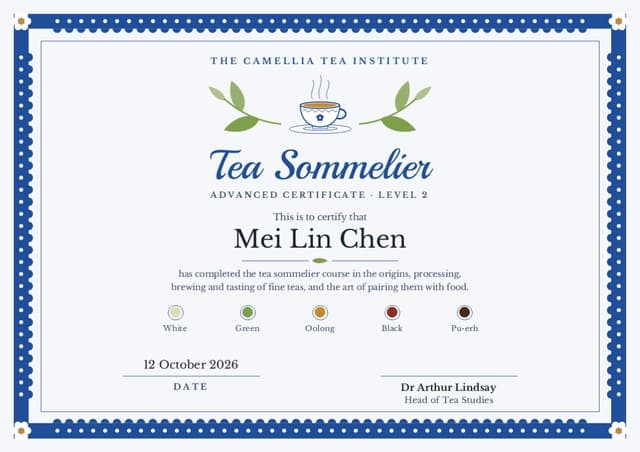
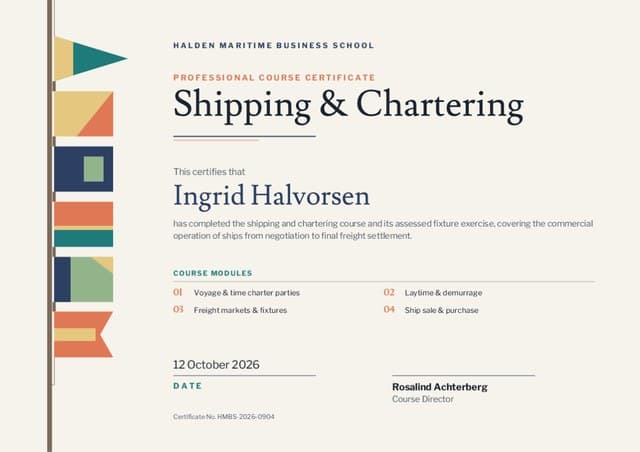
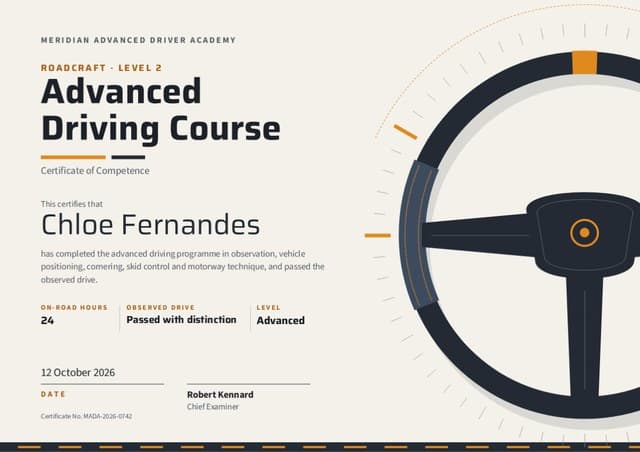
Six of the 1,000+ designs in the app, from tech bootcamps to tea tasting. Add your course title, logo and signature, and each one fills itself from your student list.
Seven examples for different ways of teaching, one of them in Arabic. The name is filled in from your student list; rewrite the rest in your own voice.
What a course certificate should say
Your name or your academy’s name and logo
The exact course title students signed up for
The student’s name, as they want it shown
What they did: lessons, hours or a final project
The date they finished
Your signature as instructor or coach
A credential ID for their LinkedIn profile
The QR code and link that prove it is real
Course completion
Certificate of Completion
This certificate is awarded to Lucía Romero for completing Watercolour for Beginners, an eight-lesson online course in washes, layering and colour mixing.
3 November 2026 · Mira Castellano, Course Instructor
Name the skills, not just the course. “Washes, layering and colour mixing” says more on a profile than a course code does.
Altocirrus Cloud Academy certifies that Kenji Arai has graduated from the part-time Cloud Fundamentals Bootcamp after 36 guided labs and a capstone deployment kept at 99.9% uptime.
12 October 2026 · Joanna Kwiatek, Lead Cloud Instructor
Give one number that proves the work, such as labs completed or a capstone score. It is the line hiring managers remember.
This recognises that Oluwaseun Adeyemi completed the 12-week Lead with Clarity coaching programme: six one-to-one sessions and a written personal leadership plan.
30 October 2026 · Grace Mbeki, Executive Coach
Coaching is personal. Invite each client to add their own line on the story page about what changed for them.
This certifies that Priya Nair completed the Data Analytics Professional Certificate with Distinction, scoring in the top band on all four graded projects.
15 December 2026 · Daniel Hayes, Programme Director
Add a Result column to your CSV (Pass, Merit, Distinction) and map it to this line, so one batch covers the whole cohort.
تشهد أكاديمية السحاب العالي بأنّ يوسف الخطيب قد أتمّ دورة «تحليل البيانات باستخدام Python» عبر الإنترنت، بما فيها ثمانية مشاريع تطبيقية.
٢٠ نوفمبر ٢٠٢٦ · لمياء الحسن، مديرة البرامج
Keep tool and product names such as Python in Latin letters. Certale keeps them reading left to right inside the Arabic sentence. Translate the course title even if you taught in English. If students need the English title for LinkedIn, add it as a smaller second line. Autoscale, Porcelain and Ten to Two all have native Arabic editions, laid out right to left.
Online students mostly want something to post; a few want paper to frame. Both come out of the same batch, in any of Certale’s 20 languages, so a cohort spread across time zones still gets one consistent certificate.
A story-page linkThe certificate’s permanent home. It keeps working long after the PDF is lost in a downloads folder.
PNG for postsA crisp image for LinkedIn, Instagram and your course community.
PDF to print at homeA4 or US Letter, so students anywhere can print it on their own printer and frame it.
PowerPoint for the last live callOne slide per finisher, to celebrate the cohort on screen together.
Every plan exports PDF and PNG. Pro adds print-quality export in every size, plus PowerPoint.
Certificate language
Left to right, dated 12 October 2026.
Teaching a mixed-language cohort
Add a Language column to your export and issue each language as its own batch.
Ask students how their name should be written before you export: the CSV is what gets printed.
Dates follow the language, so 12 October 2026 becomes ١٢ أكتوبر ٢٠٢٦ on the Arabic edition.
The creator’s view
What one cohort did with its certificates
A sample bootcamp cohort, as the course creator sees it on Pro, which includes basic analytics (opens and shares). Business adds full analytics (opens, scans, shares) with export.
Sample data. Altocirrus Cloud Academy is our demo academy.
certificates issued to cohort 7’s finishers
52
opened by students, 94% of the cohort
49
shared by students, most of them to LinkedIn
31
applause from classmates, family and friends
214
FAQ
Online course certificate questions
How do I give every student a certificate when they finish my course?
Export your students from your course platform as a CSV, with their name, email and progress. Upload it to Certale, choose who has finished (for example, every lesson), and preview each certificate on your design. Then send each student the link to their story page, or download all the certificates as PDFs.
Can students add the certificate to their LinkedIn profile?
Yes. Each story page has an Add to profile button that opens LinkedIn’s Licenses & certifications form with the course name, your organisation, the issue date, a credential ID and the credential URL already filled in. Students can also share it as a post, or send the link on WhatsApp.
Does it work with Teachable, Thinkific, Kajabi or Google Forms?
Yes, through their CSV exports. Download your student list, progress report or form responses as a CSV, upload it to Certale and match the columns. There is no plug-in to install and nothing to connect, so it works the same way with any course platform that can export a spreadsheet.
How do I stop people faking my course certificates?
Each certificate links, by QR code and short URL, to a page on certale.com that only your account can create in your name. Anyone can check a certificate there for free. On Business, the verified-issuer badge shows that we have checked your email domain, so students and employers can see it really came from you.
Is there a free course completion certificate generator?
Certale’s Free plan makes unlimited single certificates and includes bulk from Excel for 25 names a month, with a small “Made with Certale” credit. Most solo creators move to Pro, at $9 a month or $90 a year: bulk from Excel, 300 names a month, all 1,000+ templates, your brand kit and no Certale credit.
Can I issue certificates in my students’ languages?
Yes. Certale works in 20 languages, including Arabic, which has its own native designs written right to left. For a mixed cohort, add a language column to your export, split the list by language and issue each group on the matching edition of your design.
Can I award a distinction, or a certificate for a live session?
Yes. Add a Result column (Pass, Merit, Distinction) and map it to a line on the certificate, or keep a separate attendance design for live workshops and webinars. Saying “attended” rather than “completed” keeps every certificate accurate.
Are my students’ certificates public?
Only if they choose. Each student picks one of three settings: Private, where the page opens only from the QR code; Shareable, for anyone who has the link; or Public, which lists it on the Wall of Tales. Students under 18 get the first two only: the Public setting, the Wall of Tales and search listings are closed to them.
Free is enough to test it on a small cohort (bulk from Excel, 25 names a month). Pro is $9 a month or $90 a year: bulk from Excel, 300 names a month, all 1,000+ templates and no Certale credit.


 certale.com/t/7QK2ACA9